Validate for a Project
Validate for a Project⚓︎
This section explains how to find tasks ready for validation, review mapping against project requirements, and handle the restriction on validating your own mapping.
For a list of all guides on the TCAT Wiki, refer to the Guides List.
Find a task ready for validation⚓︎
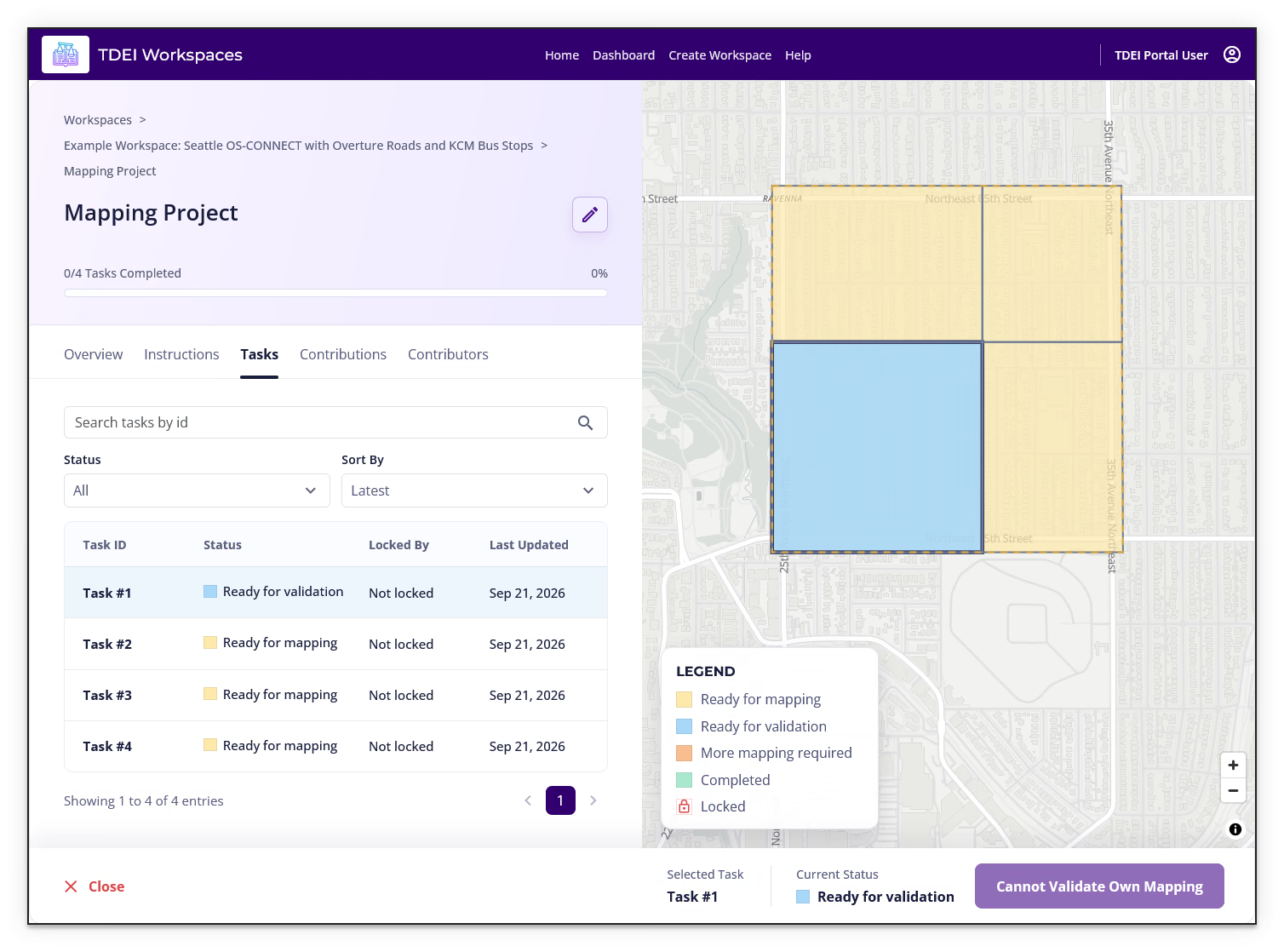
- Open the project and select Tasks
- Use Status to filter for Ready for validation
- Select a task ID or its area on the map
- Read the project's Instructions tab before reviewing the mapping
When Review Required is enabled for a project, validator review is required before tasks can be completed. Projects can assign users the Validator role; ask the project lead if you are unsure whether you are assigned to review tasks.
Review the mapping⚓︎
Validation is a quality check of mapping completed by another contributor. Use the project's instructions as the review criteria. Depending on the project, check that:
- Features are present and their shapes and positions match the intended real-world features
- Features align with the imagery or other evidence specified by the project
- Where the project expects connected features, they form the required network without unintended gaps
- Required tags and attributes follow the project's instructions
The exact features, evidence, tags, and attributes vary by project. Do not apply a tag list or requirement from another project without confirming that it applies here.
Record the validation outcome⚓︎
- If the mapping meets the project requirements, use the validation action in the task panel to record the review
- If issues remain, do not approve the task; follow the project's correction process and clearly describe the issue and what needs to change
- If the review action or correction process is unclear, check the project instructions or ask the project lead
Cannot validate your own mapping⚓︎
If a task is Ready for validation and you created its mapping, the action panel can show Cannot Validate Own Mapping instead of a validation action. Validation is an independent review, so ask another project validator or the project lead to review your task.
Previous: Contribute to a Project | Next: Workspace Review