OSW - Convert
OSW - Convert⚓︎
This page explains how to use the OSW - Convert job to convert an OSW dataset to OSM format, or vice versa.
Function⚓︎
Converts an OSW dataset to OSM format, or an OSM dataset to OSW format.
OSW File Format⚓︎
An OSW dataset is a .zip archive. The .geojson files inside the archive must use one of the following file name patterns:
*.nodes.geojson*.edges.geojson*.zones.geojson*.points.geojson*.lines.geojson*.polygons.geojson
The OSW - Convert job checks the names of the files inside the archive. The job fails if an inner .geojson file does not match one of these patterns. This requirement also applies when the job is used during workspace creation from a TDEI dataset or an uploaded local OSW file.
The points, lines, and polygons files are optional. An archive containing valid nodes, edges, and zones files passes this file-name validation check when those optional files are not included.
For example, an archive containing files named example-dataset-points.geojson, example-dataset-lines.geojson, or example-dataset-polygons.geojson fails because the file names do not exactly match the required patterns.
Job Creation Form⚓︎
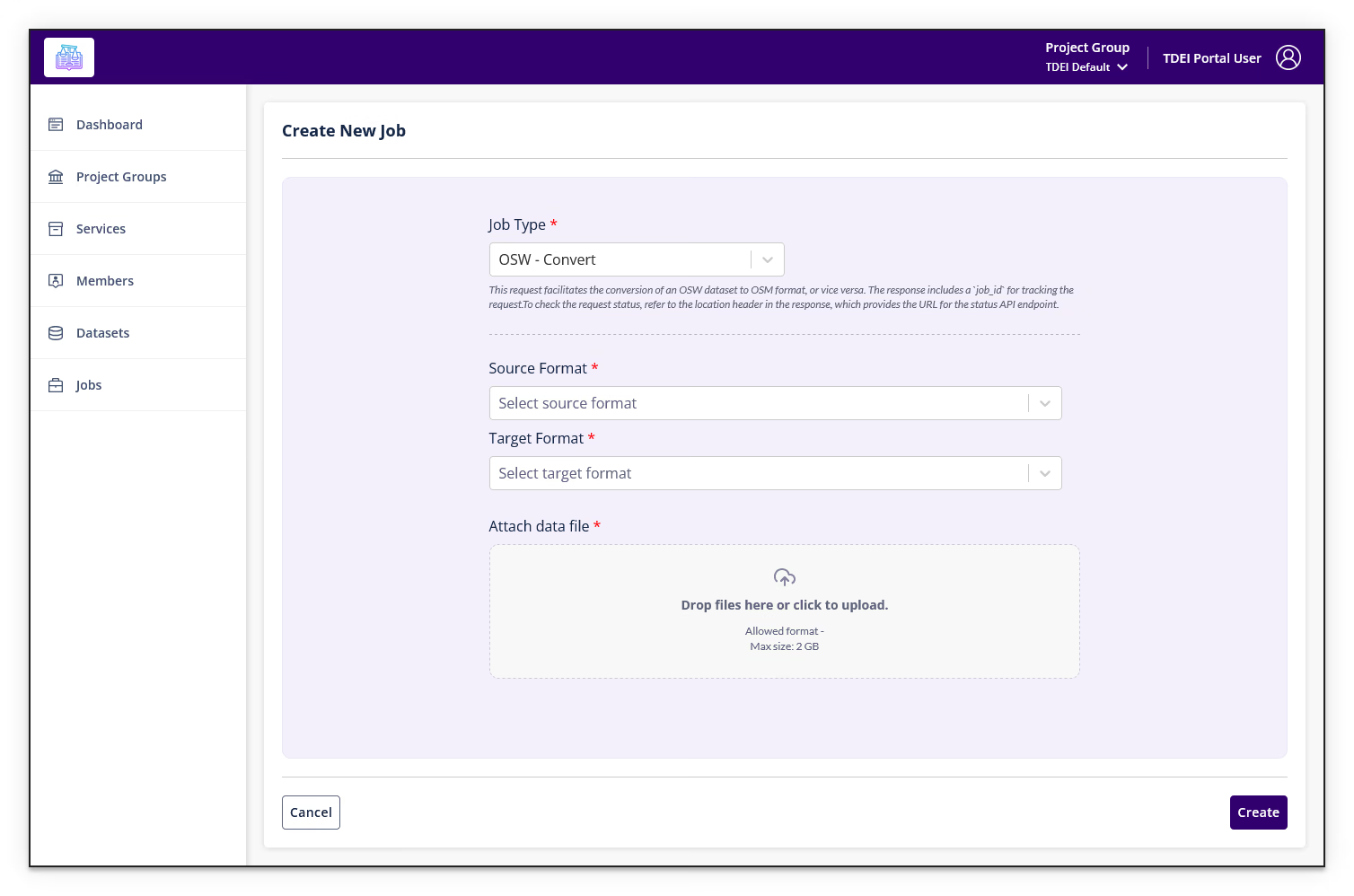
| Field | Required | Description | Format / Options |
|---|---|---|---|
| Source Format | Yes | Format of the input file | OSW or OSM |
| Target Format | Yes | Desired output format | OSW or OSM |
| Attach data file | Yes | Dataset file to convert | Source Format = OSM:.pbf, .osm, or .xmlSource Format = OSW: .zip |
Info
The allowed upload format changes depending on the selected Source Format.
Full job description
This request facilitates the conversion of an OSW dataset to OSM format, or vice versa.
The response includes a job_id for tracking the request.
To check the request status, refer to the location header in the response, which provides the URL for the status API endpoint.
Select Create to submit the job. Select Cancel to return to the Jobs list.
Return to Jobs.