Workspace Export Guide
Workspace Export Guide⚓︎
This tutorial explains how to directly export a dataset in .osm format from Workspaces.
For a list of all guides on the TCAT Wiki, refer to the Guides List.
Instructions⚓︎
1. Determine your environment⚓︎
-
Stage: portal-stage.tdei.us + workspaces-stage.sidewalks.washington.edu
-
Dev: portal-dev.tdei.us + workspaces-dev.sidewalks.washington.edu
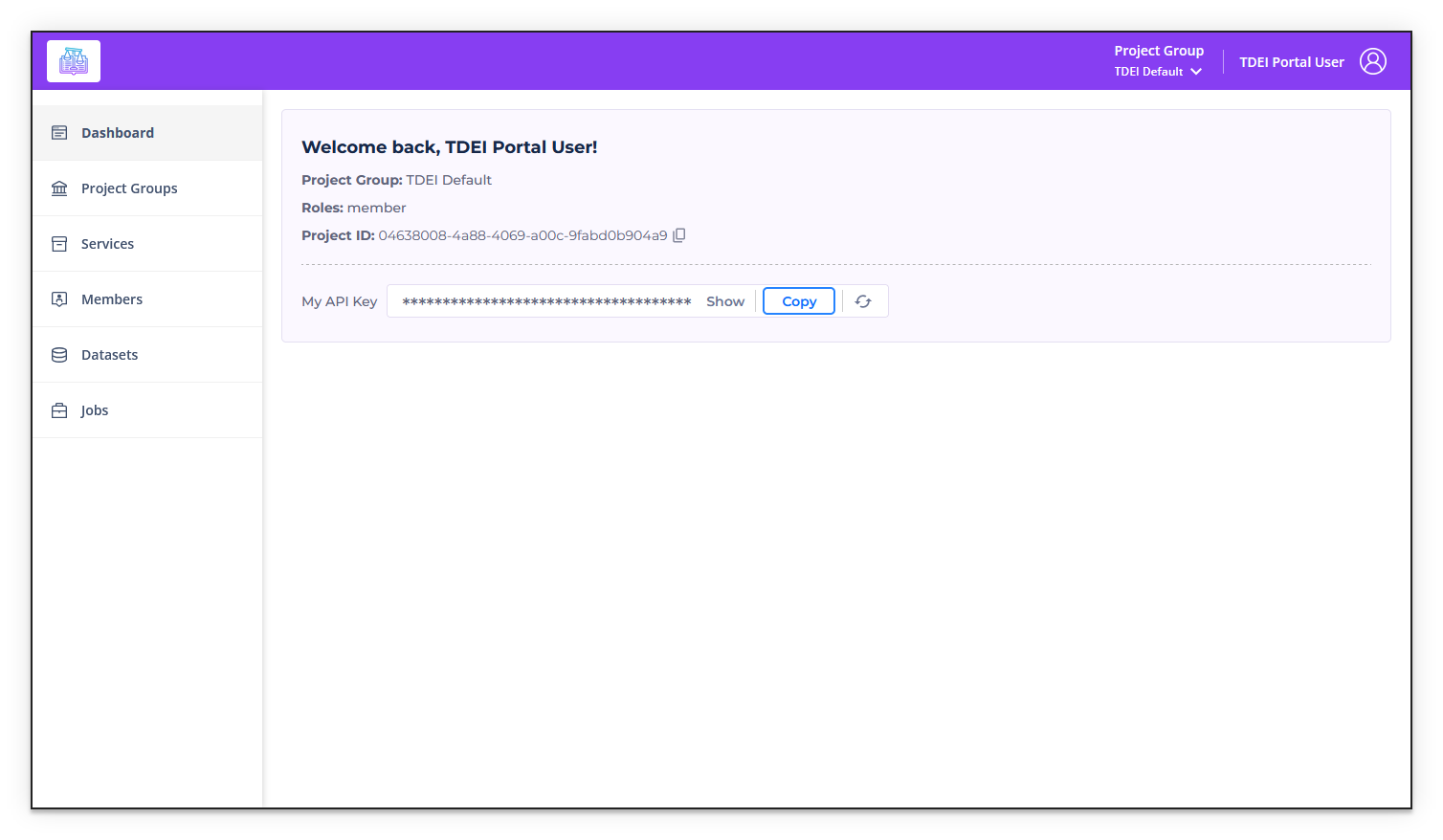
2. Find your API key⚓︎
- Log in and navigate to the Dashboard section of your environment's TDEI Portal
3. Find the Workspace ID⚓︎
-
Extract the ID from the Workspace link, for example
1074:https://workspaces-stage.sidewalks.washington.edu/workspace/1074/settings
4. Export the Workspace⚓︎
Option 1: Workspace Export Utility (Recommended!)
-
Download the Workspaces Export Script from the TDEI Tools repository.
-
Run the script and follow the instructions.
Option 2: Manually Query the Workspaces API
-
Find the dataset's bbox
-
In your browser, substitute the target Workspace ID and open:
Example URL:
https://osm.workspaces-stage.sidewalks.washington.edu/api/0.6/workspaces/1074/bbox.json
Example output:
{
    "min_lat": 47.6558706,
    "min_lon": -122.3134287,
    "max_lat": 47.6563239,
    "max_lon": -122.3122227
}
-
-
Construct request URL with above bbox query output, in
min_lon,min_lat,max_lon,max_latformat.https://osm.workspaces.sidewalks.washington.edu/api/0.6/map?bbox=-122.3134287,47.6558706,-122.3122227,47.6563239 -
In PowerShell: (replace
TDEI_TOKENwith your copied API key,WORKSPACE_IDwith the Workspace ID,QUERY_URLwith the URL containing the bbox, andFILE_NAMEwith your desired file name)It is recommended to follow a file name convention like
export-ENV-ID-DATE-N.osm(example:export-stage-1074-20260417-01.osm)$headers = @{ Authorization = 'TDEI_TOKEN'; 'X-Workspace' = 'WORKSPACE_ID' }; Invoke-WebRequest -Uri 'QUERY_URL' -Headers $headers -OutFile 'FILE_NAME.osm'Example:
$headers = @{ Authorization = 'a1b2c3d4-e5f6-g7h8-i9j0-k1l2m3n4o5p6'; 'X-Workspace' = '1074' }; Invoke-WebRequest -Uri 'https://osm.workspaces-stage.sidewalks.washington.edu/api/0.6/map?bbox=-122.3134287,47.6558706,-122.3122227,47.6563239' -Headers $headers -OutFile 'export-stage-1074-20260417-01.osm' -
This outputs a
FILE_NAME.osmfile in the current directory.